Improving the SIREN Network - an international software collaboration project created to protect endangered marine animals
In 2012 AMMCO created SIREN, a collaborative citizen science platform with the mission to help coastal communities, governments and scientists to study and protect endangered marine species. Since then the platform evolved to a website and a mobile applications for specific geographical conservation efforts.
Imagine fishermen around the world taking photos of sharks, rays, dolphins on their phones and uploading those to the SIREN platform where scientists can analyze the observations and work with local governments to protect those species and create marine protected areas.
My role
UX Designer (mobile application and website)
Team
3 UX Designers
1 Project Lead
5 Engineers
1 Field Assistant
Timeline
November 2022
Tools
Figma
Miro
Gitlab
Slack
Where, why, how and who is using the app?
I have conducted primary research with 3 of our target users - fishermen (40 years old average age).
-
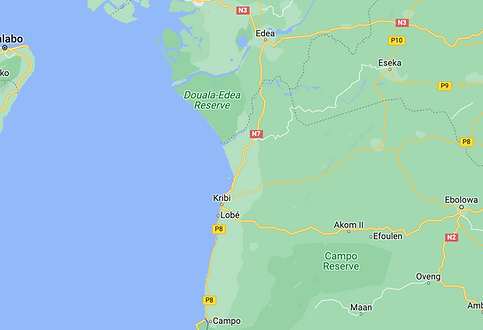
Fishermen in areas close to the seashore in Cameroon.
-
They are usually using Android phones with limited storage and poor internet connection (1/2G).
-
They wake up around 3 am and go to the seashore with a boat to catch fish and then sell it at the fishmarket.
-
Some have not used any mobile app so far because no one taught them how to use it.
Challenges
No internet connection at the sea.
Network is terrible, unstable, not even able to make a call.
They have a few minutes or even seconds to document/create observations of what they have caught.
"App fatigue" - having a very intuitive interface.
Issue #280 - Adding a feature which allows users to upload all of their observations at once and track the progress - Mobile
User story

Ideation and design
1. Easy selection of several or all observations at once
V1


Initial iteration included an ellipsis button which would open up to a dropdown menu with 3 select options. When clicking on "select", a top bar will appear and each card would have the option to be selected. Because most fishermen have difficulties reading or do not have the conditions necessary to read (windy sea), this iteration was not considered.
V2


The second iteration included a "Select" button. Once selected, the tabs and search box would disappear and all observations would move up and a top bar would emerge. This iteration needed improvement as it did not include a "cancel" option and to do so, some elements within the design had to be changed.
Final


After discussing the iteration with the Dev and UX team, the final design included a "Cancel" option and a checkbox (which would be selected by default). The bottom bar text options were replaced with icons (more intuitive for users/easier to recognise).
2. Tracking progress
V1


The first idea for the "track progress" part of the feature included the addition of a toast notification at the bottom of the screen. This option came with issues such as the toast potentially going unnoticed and also interfering with other features within the app.
Final


The final iteration allows users to have a live "ongoing" alert of the upload taking place (circular progress loader).
The user will also be able to end an upload when an observation may be taking too long to upload or it has been mistakenly added.
Developer phase
The next stage included discussing the design with the developer team (grooming) followed by handing off all necessary files for developing.